

Skip to content

Managed GitLab Hosting

Your own GitLab instance on dedicated hardware in Frankfurt am Main. We install updates as they come out, and when something breaks you reach engineers who know your setup.

What teams ask before moving

These six points come up in almost every first conversation.

Your own domain?Yes, via CNAME.Your instance runs under git.your-domain.com. We provide the CNAME record, you point your domain at it.
Dedicated or shared?Always dedicated.Its own CPU, RAM and storage. Repositories, registry and runner connection share no host resources with other customers.
How does onboarding work?Personally guided.We set the instance up ready to log in and migrate an existing one without data loss. Domain, SMTP and SSO are agreed together.
Updates & maintenance?Announced, in a maintenance window.Maintenance windows are announced in advance and updates are applied in a controlled way. Security-critical ones outside the window on request.
Your own GitLab runners?Yes, in addition.Alongside our Managed Runners you can connect your own, for example for builds that need access to internal systems or special hardware.
Kubernetes?On request.A Kubernetes-based install is possible. We agree the target setup for your cluster with you beforehand.

More about the data center in Frankfurt am Main where your instance runs.
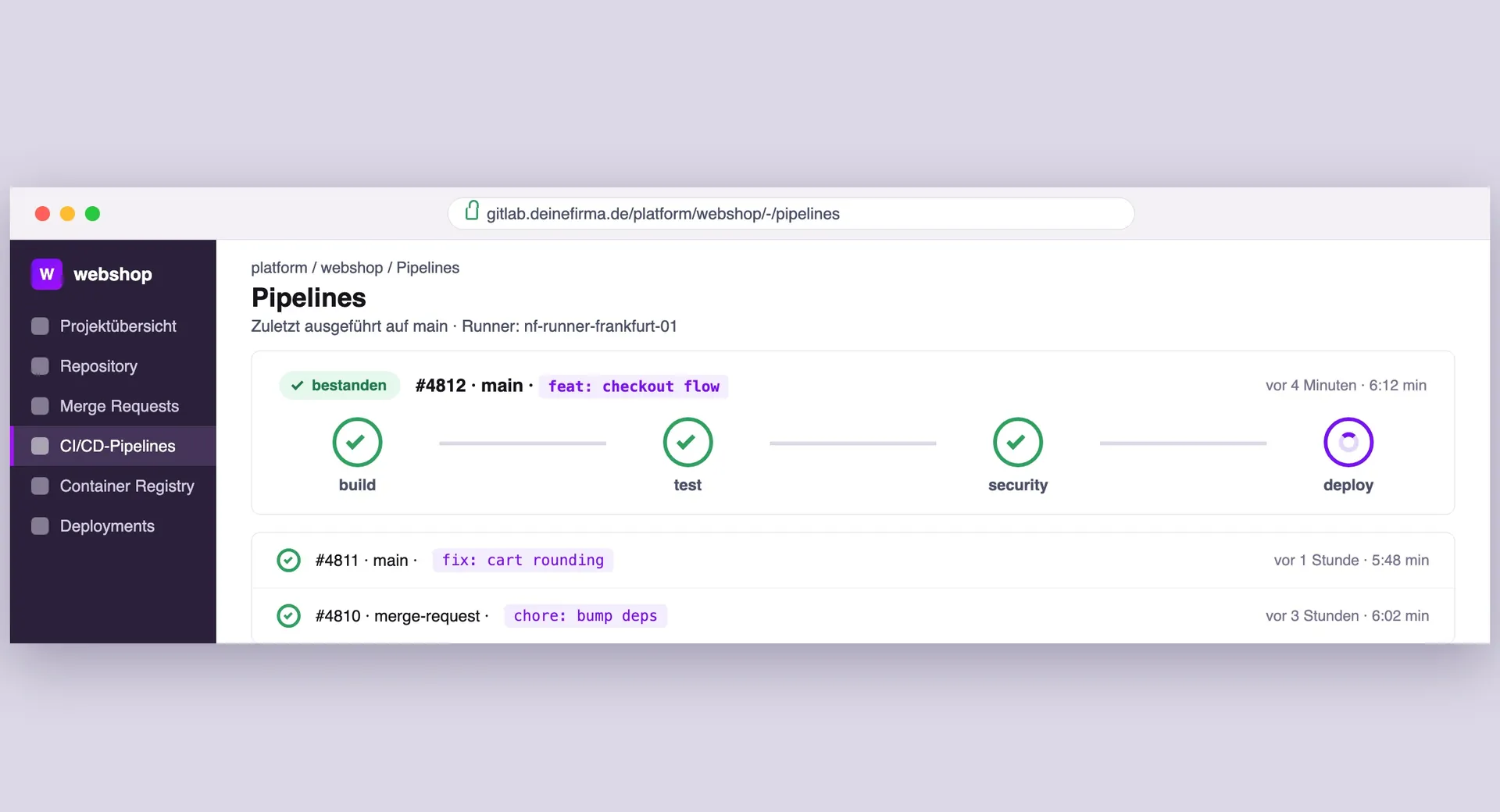
Pipeline view of a GitLab instance operated by NETZFABRIK with a passing CI/CD pipeline

What we maintain on your GitLab

Day to day, the Omnibus package, the registry and the runner connection cause most of the work. That is the part we take over, on dedicated hardware in Frankfurt.

  • Your own GitLab instance

    No shared platform: your GitLab runs isolated on its own resources, without user or repository limits.

  • Omnibus updates & patches

    We roll out GitLab releases in a controlled way and close security-critical gaps quickly, outside your working hours on request.

  • Repos & registry in Frankfurt

    Repositories, container registry and CI artifacts on our own hardware in Frankfurt am Main, with a data processing agreement on request.

  • Git and registry uptime

    We monitor Git, web and registry availability and step in before clone, push or pipelines stall.

  • Encrypted backups

    Daily, encrypted backups at a second location in Germany. We handle restores for you on request.

  • Admin, SSO & own domain

    Your own domain, SSO via Google, GitHub, OpenID Connect or Azure AD and full admin access. You manage projects, we run the platform.

Your GitLab, without platform upkeep

You want to use repositories, CI/CD and the registry, not run Omnibus updates and runners yourself. We handle installation or migration, updates, monitoring and support for your GitLab.

Self-hosted GitLab otherwise means the Omnibus package, PostgreSQL, Redis, container registry, runners and backups. With us your instance runs on dedicated hardware in Frankfurt am Main, with your own domain and full admin access.

You manage projects, groups and pipelines. Omnibus updates, PostgreSQL, Redis, the registry and backups are on NETZFABRIK.

Official GitLab Open Partner

We are a registered GitLab Open Partner. That means you get Premium and Ultimate licenses directly from us, without a third-party reseller, together with the instance they run on.

Partner certification: GitLab Open Partner

Is it worth the effort?

GitLab is free, running it is not: updates, runners, backups and monitoring tie up your team. We deliver the ready-to-run instance at clear package prices.

Is it worth the effort?
Self-hostedNETZFABRIK Managed
Setup & configurationSeveral days of your own workWe set it up, included in the price
Updates & security patchesYou have to keep track yourselfHandled automatically by us
Monitoring & alertingSet up and maintain yourself24/7, included
Backups & recoverySet up and test regularly yourselfRegular and tested
Scaling & availabilityRequires your own expertiseIncluded on request
Support & response timeCommunity and self-researchDedicated contact, clear SLA
Data locationYour responsibilityFrankfurt am Main, GDPR-compliant
Your time investmentSeveral hours per monthHardly any, we do the running

Three plans, by instance size

Managed monitoring and S3 caching are included in every plan. The plans differ in CPU, RAM, SSD and traffic.

1. Choose a plan

2. Add extras

3. Extend S3 caching

None of them fits? Then we put together dedicated hardware based on your user count and repositories.

Add runners and Kubernetes

Add Managed GitLab Runner

You can book the runners for your pipelines with us as well. We keep them updated and add more when you need them. Docker is supported, and up to 100 GB of cache come at no extra cost.

If your GitLab runs with us too, runner and instance are connected at up to 10 Gbps. We handle updates and caching.

GitLab on Kubernetes

If your setup needs high availability or dynamically scaling runners, we also run your GitLab on Kubernetes. We advise you on what actually makes sense for your environment.

Response times for your GitLab

In the event of a system outage, we respond in under 15 minutes, 24/7, 365 days a year.

  • Critical (P1)< 15 min

    Total outage or suspected security incident. Please call.

    24/7 on-call

  • High (P2)< 1 hr

    Important function disrupted, operations run with limits.

    Mon to Fri, 9 am to 6 pm

  • Normal (P3)< 4 hrs

    One workstation affected or there is a workaround.

    Mon to Fri, 9 am to 6 pm

  • Low (P4)< 1 business day

    Questions, requests and anything that can be planned.

    Mon to Fri, 9 am to 6 pm

Questions about GitLab with us

Sorted by operation, access, resources, licensing and backups.

General & operation

Can I use my own domain?
Yes, you can run your GitLab instance under your own domain, e.g. git.yourdomain.com. We provide a CNAME record that you point your domain to.
Is the hosting GDPR-compliant?
Yes, our Managed GitLab Hosting runs exclusively on our own hardware in a data center in Frankfurt am Main. This makes your GitLab fully GDPR-compliant. On request we sign a data processing agreement (DPA) with you.
Where are the servers?
Your GitLab instance, including repositories, Container Registry, and CI artifacts, runs on dedicated hardware in Frankfurt am Main. That keeps clone, push, and pipeline latency low for DACH teams and meets typical GDPR and data-residency requirements without extra setup. More about the data center in Frankfurt am Main where your instance runs.
Is my instance dedicated or shared?
Dedicated: your GitLab gets its own CPU, RAM, and storage. Repositories, registry, and runner connectivity do not share host resources with other customers. Builds and Git operations stay predictable even when large pipelines run in parallel.
How does onboarding work?
Once you approve the quote we set up your GitLab instance ready to log in. You receive admin credentials and can start right away. Individual configurations such as custom domains, SMTP settings or SSO integrations we clarify together during onboarding.
How do maintenance and updates work?
We announce regular maintenance windows well in advance. Updates are applied in a controlled way to avoid version drift. Security-critical updates we perform promptly, outside the regular maintenance windows on request.

Features, integrations & access

Do I get full admin access?
Yes. You keep GitLab admin control: projects, groups, runner registration, CI variables, and permissions stay with you. We stay in the background for hosting, updates, monitoring, and recovery without overwriting your GitLab configuration.
Can I use GitLab Pages?
Yes, GitLab Pages can be enabled on your managed GitLab instance. Prerequisites are a wildcard SSL certificate and a dedicated domain for the pages. We support you with the setup during onboarding or on request.
Do you support Single Sign-On (SSO)?
Yes. Your team signs in with the accounts it already has, and you manage users in one place. Supported SSO providers include Google, GitHub, OpenID Connect and Azure Active Directory.
Can I connect my own GitLab Runners?
Yes, alongside our managed runners you can connect your own GitLab Runners to your instance. That makes sense for runners in your own network, e.g. for builds that need access to internal systems or special hardware. You configure the registration directly in your GitLab admin area.
Can I add Managed Runners?
Yes, we offer Managed GitLab Runner as a standalone product, both for GitLab instances hosted with us and at other providers. The runners support Docker and Docker-in-Docker (dind) and come with up to 100 GB of free caching storage. If your GitLab also runs with us, runner and instance are connected at 10 Gbps.
Can I use Git over SSH?
Yes. Every GitLab instance is reachable via a dedicated public IPv4 address, and SSH for Git operations is available on port 22.
Do you support other cloud providers?
Yes, besides hosting on our own infrastructure we can also run your Managed GitLab in a cloud environment of your choice, e.g. on Azure, AWS or Google Cloud Platform. We take care of operations there just as we do on our own hardware.
Do you offer macOS Runners?
Yes, we offer Managed macOS runners for your GitLab. They are meant for teams building iOS or macOS apps that need a native build environment for Xcode projects. macOS runners start at 99 euro per month, and we handle updates and monitoring.
Can I restrict access (IP / VPN)?
Yes, we can restrict access to your GitLab instance via IP allowlist. In addition we offer an upstream firewall or a VPN gateway, including IPSec site-to-site tunnels or Cloud Connect to Azure, AWS and other providers.

Resources, scaling & storage

Are there user or repository limits?
No, with our Managed GitLab Hosting there are no artificial limits for users or repositories. You pay for infrastructure, not per seat. With the Community Edition there is no user limit, with the Enterprise Edition the GitLab Premium and Ultimate licensing models apply.
How far can GitLab scale?
We scale GitLab vertically (CPU, RAM, storage), for example when the registry grows or many concurrent clones hit the instance. Managed runners can be added or removed flexibly. Because every instance is dedicated, we do not impose seat or repository caps on our side.
Where are artifacts, registry and packages stored?
Git repositories live on the instance storage of your dedicated infrastructure. Artifacts, container registry and packages can also be connected via S3-compatible object storage on request. We work out with you which option suits your instance.
Can I add storage?
Yes, storage can be expanded at any time. Tell us how much you need and we adjust the resources of your dedicated infrastructure.

Licenses & editions

Do I need a GitLab license?
No, no license is required for the GitLab Community Edition (CE). If you need additional features, you obtain GitLab Premium or Ultimate licenses directly through us.
Do you offer Premium and Ultimate licenses?
Yes, you obtain GitLab Premium and Ultimate licenses directly through us, without the detour via third parties. Premium is available from 29 euro per user/month (incl. container scanning, code quality reports, multiple approvers), Ultimate from 99 euro per user/month (incl. vulnerability management, quality management, status page). You use the licenses directly together with your Managed GitLab Hosting.
What's the difference between CE and EE?
Both editions are based on the same codebase. The difference is in the licensing: with the EE a license key unlocks additional functions, such as advanced security features, compliance dashboards or advanced CI/CD governance. Without an active license the EE behaves functionally identical to the CE. We run the Enterprise Edition by default, so you can upgrade to Premium or Ultimate at any time, without reinstallation or migration.

Backups & security

How often are backups created?
Every day we back up your full GitLab instance: Git data, PostgreSQL, Container Registry, and configuration. Backups are encrypted and stored at a second location in Germany. Restore via our support is available whenever you need it.

Hand over GitLab, keep your pipelines?

Tell us how many users and runners you have and whether an existing instance needs to move. We set up your dedicated instance in Frankfurt or take over your existing one.